# Формирование пакета документов по набору объектов

Инструмент формирования пакета документов по набору квартир (и др. объектов) по единому шаблону.

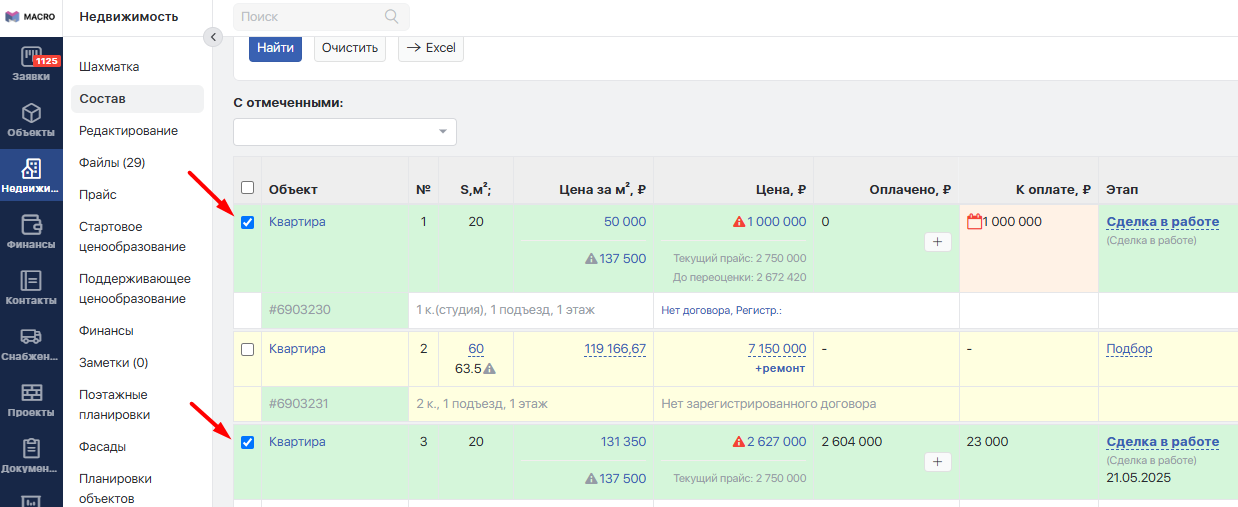
В составе дома выбираете галочками нужные объекты (можно воспользоваться фильтрами для выборки значительного количества объектов, удовлетворяющих вашим требованиям):
<figure><img src="https://2409287958-files.gitbook.io/~/files/v0/b/gitbook-x-prod.appspot.com/o/spaces%2FfkymnT1WRuXnrJRm6ZIO%2Fuploads%2FnVF8jTZTOS78j9z88ryl%2Fskach_1.png?alt=media&#x26;token=decf4b85-9886-4c67-9a0f-d17522ad59c8" alt=""><figcaption></figcaption></figure>

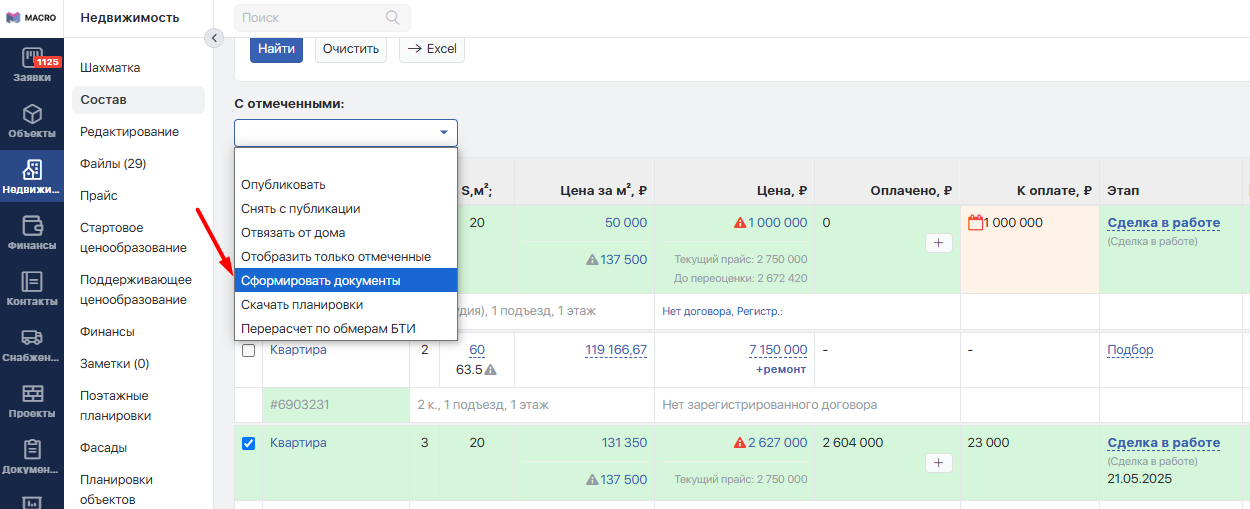
После этого над таблицей в селекторе **С отмеченными:** выберите пункт **Сформировать документы:**

<figure><img src="https://2409287958-files.gitbook.io/~/files/v0/b/gitbook-x-prod.appspot.com/o/spaces%2FfkymnT1WRuXnrJRm6ZIO%2Fuploads%2F1KYihLAygd29WXmmuQTx%2Fskach_2.png?alt=media&#x26;token=73067d5c-d99b-402c-a859-f2d0d9b4194a" alt=""><figcaption></figcaption></figure>

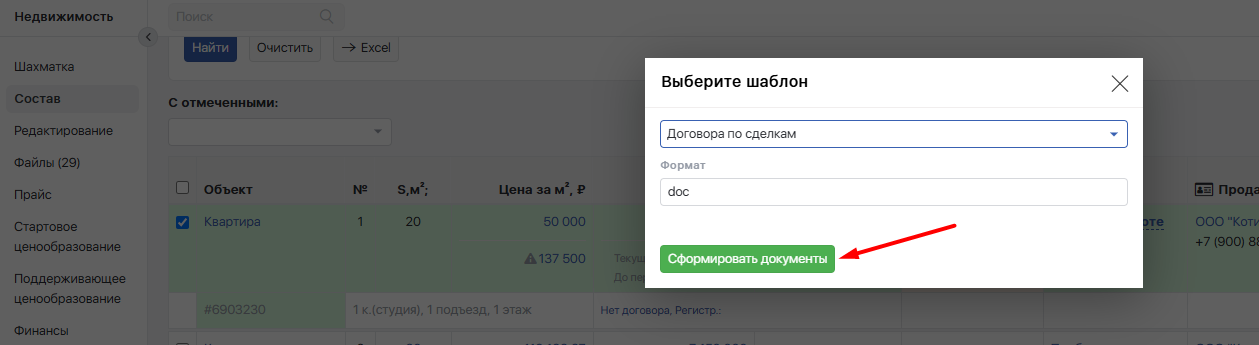
В открывшемся окне укажите требуемый шаблон и нажмите кнопку **Сформировать документы:**

<figure><img src="https://2409287958-files.gitbook.io/~/files/v0/b/gitbook-x-prod.appspot.com/o/spaces%2FfkymnT1WRuXnrJRm6ZIO%2Fuploads%2FoXnQ257FKASeDkWbpuG4%2Fskach_3.png?alt=media&#x26;token=c97729f3-25fe-4f0b-94c3-3b687f5c963d" alt=""><figcaption></figcaption></figure>

Можете продолжать свою работу. По окончанию создания пакета документов вам будет выслано письмо с уведомлением и ссылкой на файл с пакетом. Пакет документов можно выгружать в формате Word и PDF, в зависимости от ваших потребностей.


---

# Agent Instructions: Querying This Documentation

If you need additional information that is not directly available in this page, you can query the documentation dynamically by asking a question.

Perform an HTTP GET request on the current page URL with the `ask` query parameter:

```
GET https://docs.macrodigital.ru/manual/macrocrm/formirovanie_dokumentov/formirovanie_paketa_dokumentov_po_naboru_obektov.md?ask=<question>
```

The question should be specific, self-contained, and written in natural language.
The response will contain a direct answer to the question and relevant excerpts and sources from the documentation.

Use this mechanism when the answer is not explicitly present in the current page, you need clarification or additional context, or you want to retrieve related documentation sections.