Рассмотрим два способа:
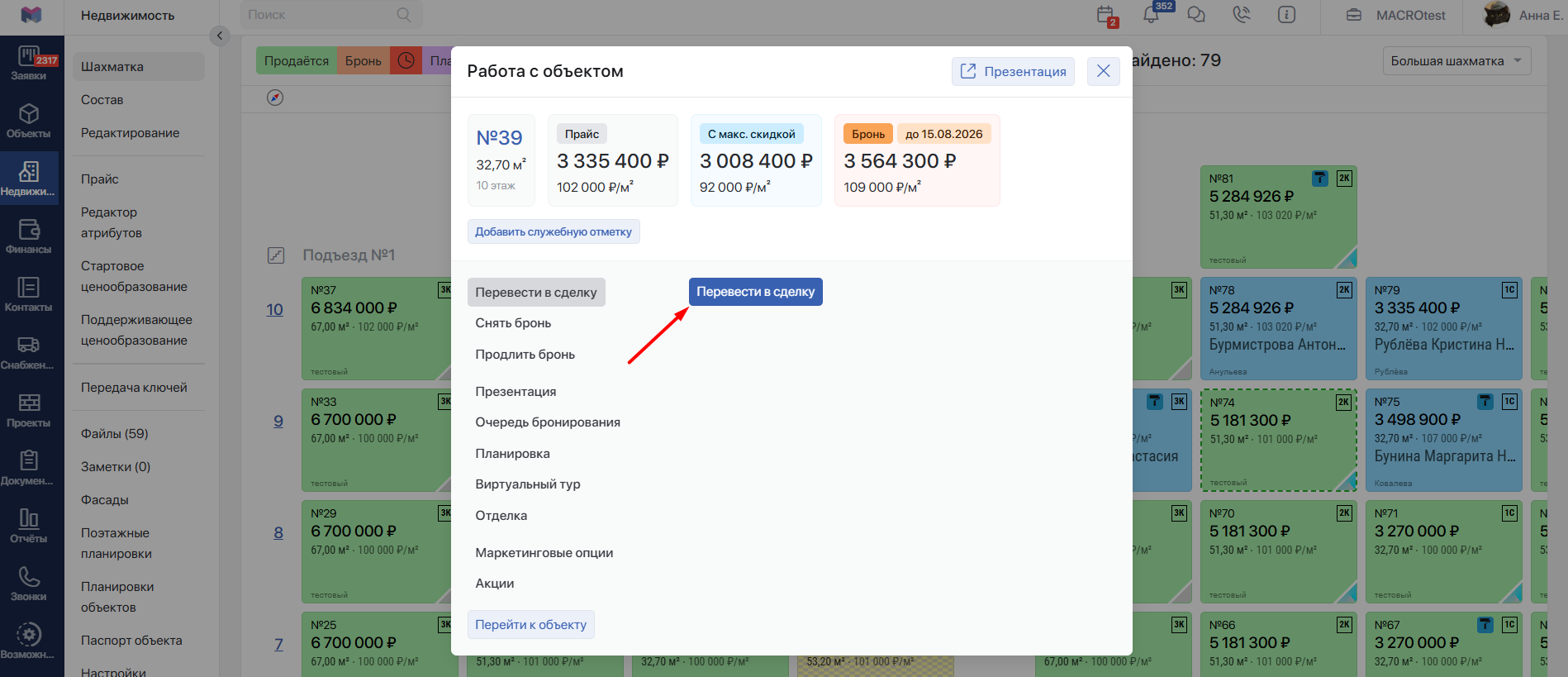
- Перевести Бронь в Сделку можно из шахматки дома. Для этого выберите нужную квартиру, на которой стоит Бронь, и нажмите Перевести в сделку:
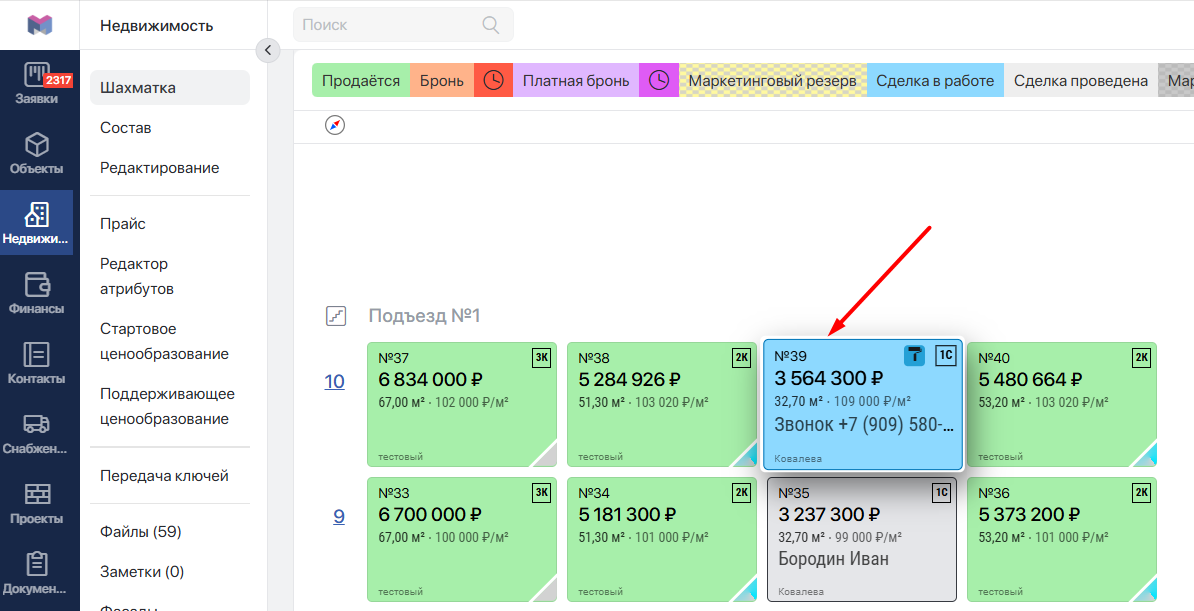
В шахматке ячейка квартиры будет окрашена в синий цвет:
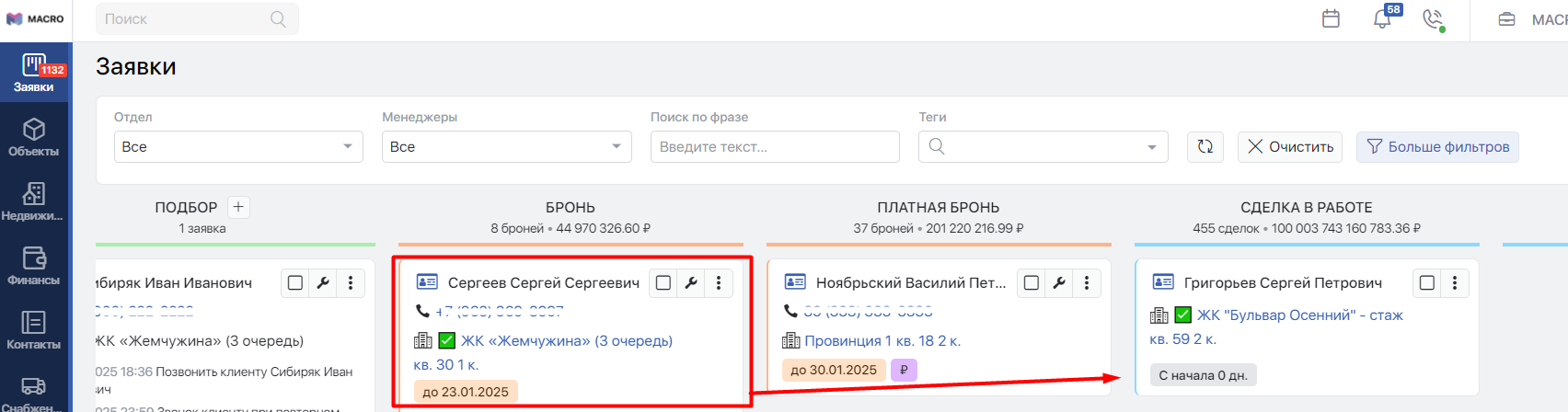
- Также перевести Бронь в Сделку можно на доске Заявок. Найдите нужную Заявку и перенесите её из колонки Бронь в колонку Сделка в работе:
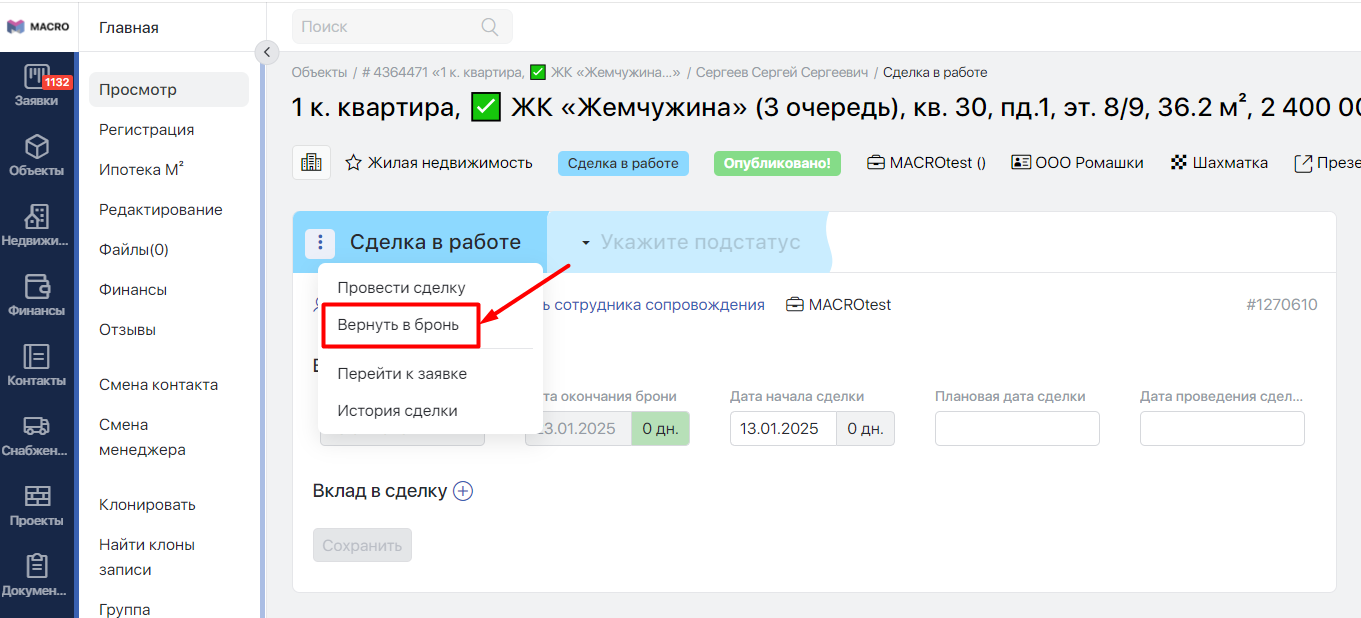
Вернуть Заявку в статус Бронь из Сделки можно непосредственно из самой карточки Сделки. Нажмите три точки слева вверху и нажмите Вернуть в бронь:
#Обязательные поля для перевода в сделку
В системе также существует настройка Недвижимость: Обязательные поля для перевода в договор:
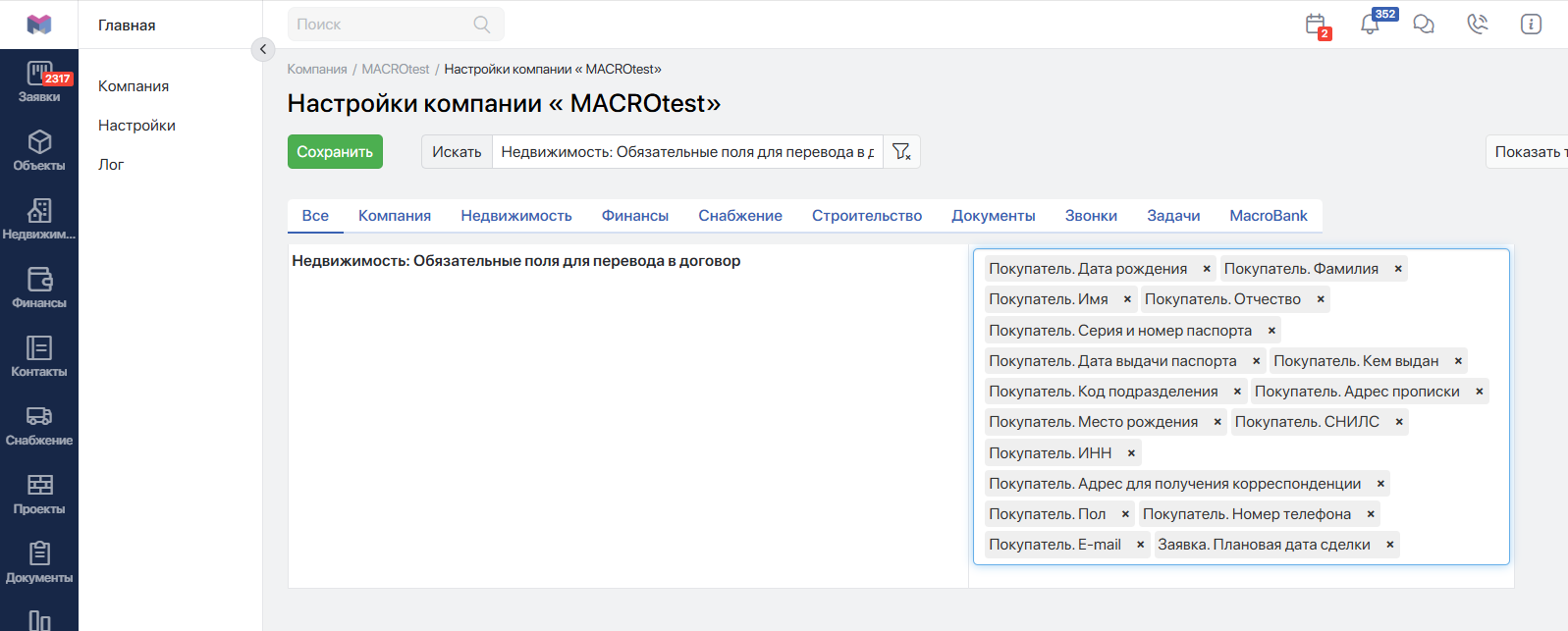
При добавлении опций в настройке система будет проверять наличие заполнения выбранных полей и разрешать переводить бронь в сделку:
- Покупатель. Дата рождения
- Покупатель. Фамилия
- Покупатель. Имя
- Покупатель. Отчество
- Покупатель. Серия и номер паспорта
- Покупатель. Дата выдачи паспорта
- Покупатель. Кем выдан
- Покупатель. Код подразделения
- Покупатель. Адрес прописки
- Покупатель. Место рождения
- Покупатель. СНИЛС
- Покупатель. ИНН
- Покупатель. Адрес для получения корреспонденции
- Покупатель. Пол
- Покупатель. Номер телефона
- Покупатель. E-mail
- Заявка. Плановая дата сделки
- Покупатель. Семейное положение
- Сделка. График платежей
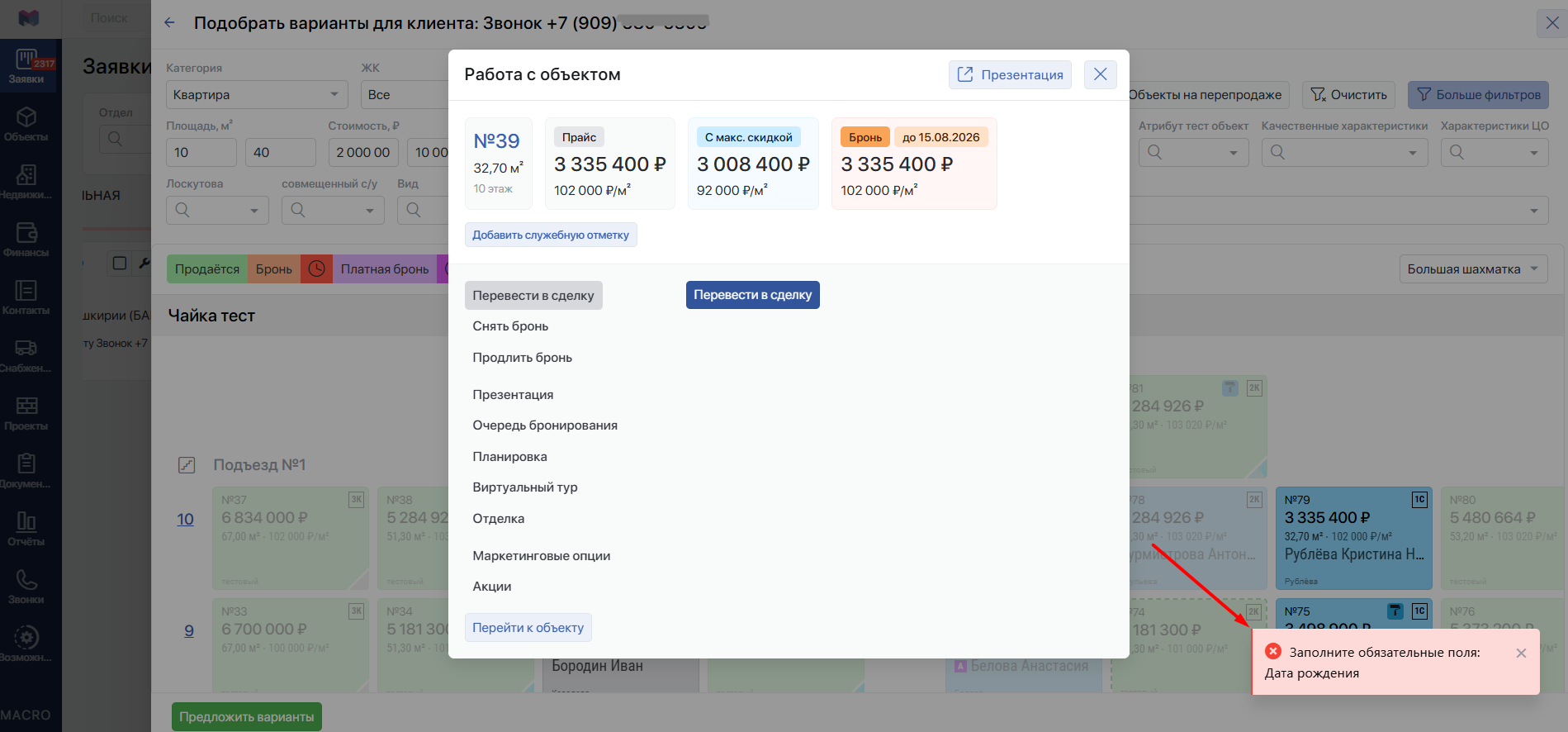
Если поля не будут заполнены, то система выдаст ошибки при переводе из Брони в Сделку:
#Отображение Сделок в работе в канбане
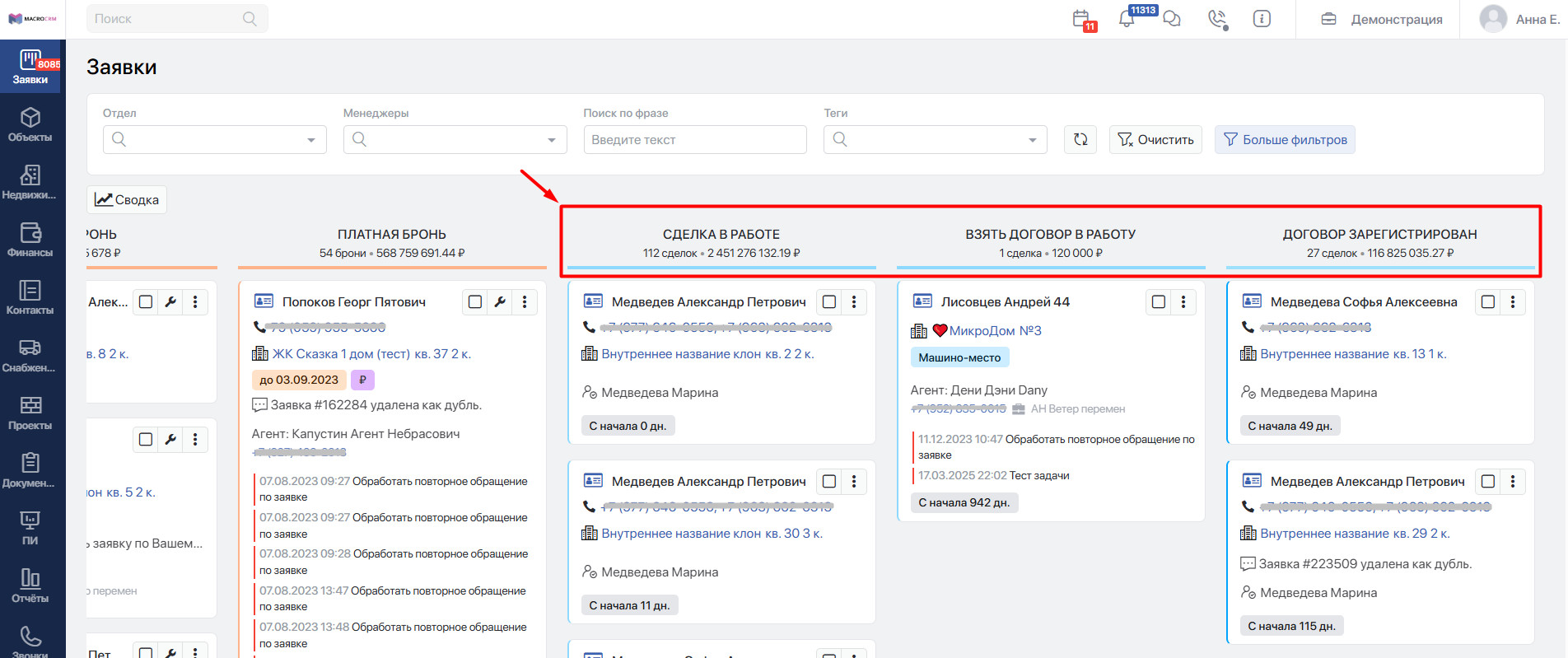
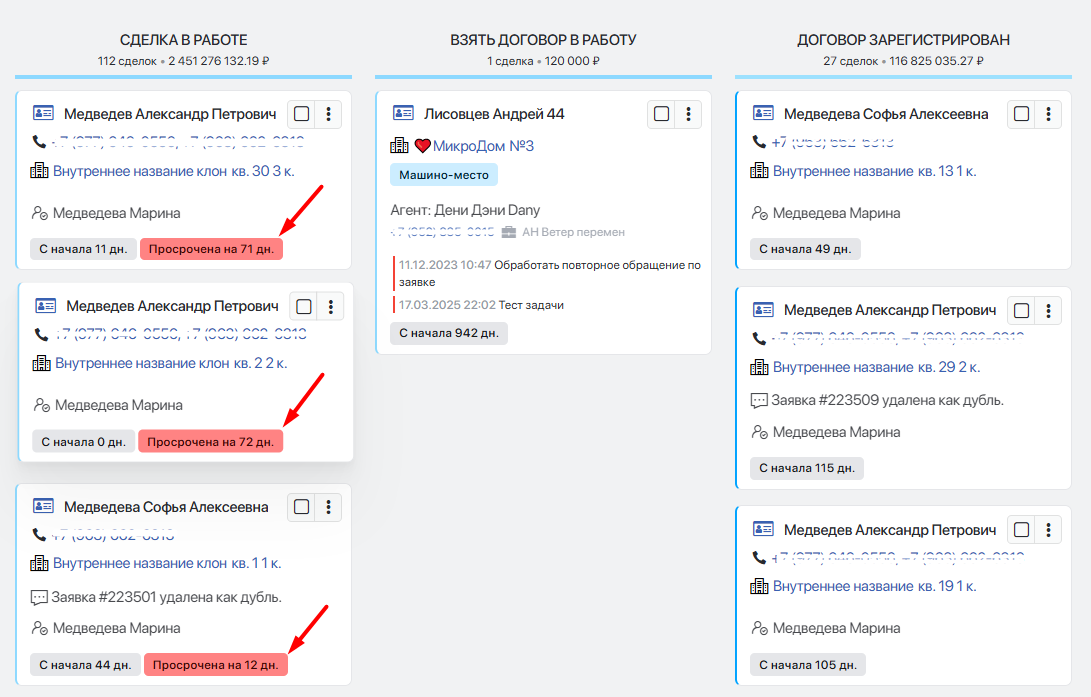
В канбане заявки, по которым уже идут сделки находятся в колонках:
-
Сделка в работе Сортировка происходит от самых старых плановых дат к новым. Заявки без плановой даты размещены ниже всех заявок и отсортированы по дате последнего изменения — самые свежие сверху:
-
Взять договор в работу*
-
Договор зарегистрирован*
*фантомные статусы. Подробнее в статьеПереход на внешний сайтhttps://docs.macrodigital.ru/rukovodstvo-polzovatelya/macro-crm/voronka-prodazh/dopolnitelnye-avtomaticheskie-statusy-v-kanbane