# Схема процесса актов выполненных работ

{% hint style="warning" %}
Выгрузка схемы процесса доступна всем сотрудникам, имеющим доступ к актам.
{% endhint %}

{% hint style="info" %}
*Дополнительные материалы по теме:* [*Настройка схемы процесса акта выполненных работ*](https://docs.macrodigital.ru/manual/macroerp/kontrakty/list_soglasovanija_akta_vypolnennyh_rabot)*.*
{% endhint %}

Система <mark style="background-color:purple;">**MacroERP**</mark> позволяет автоматически формировать и выгружать схемы прохождения процесса актов выполненных работ.

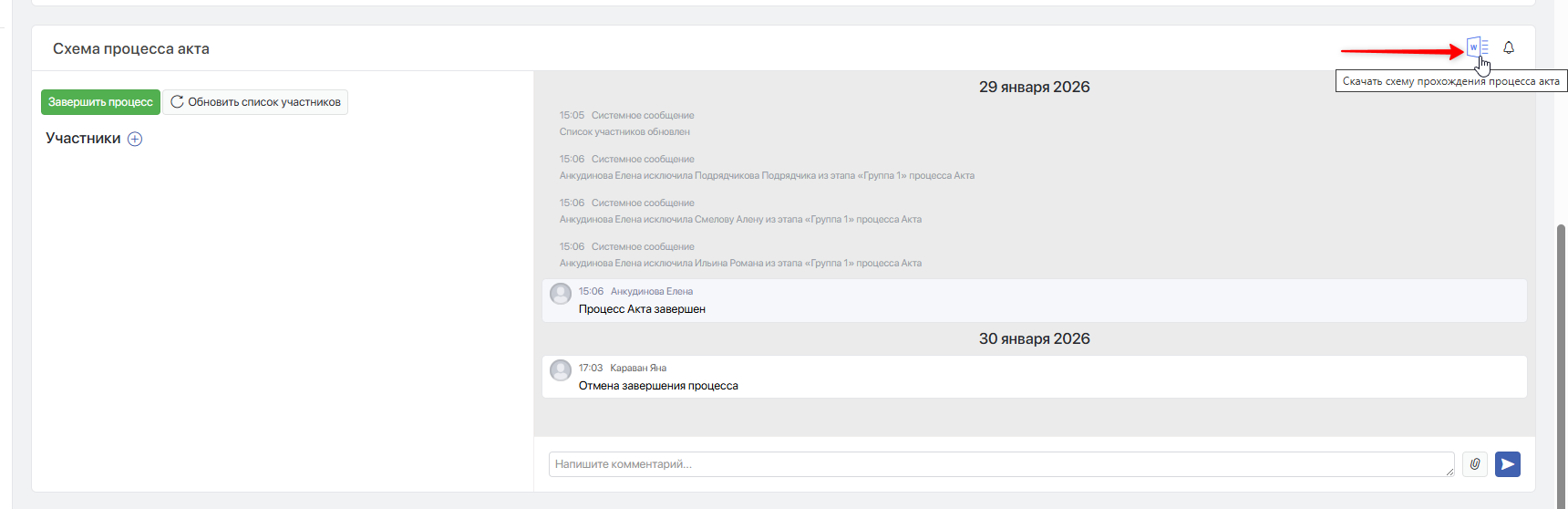
Чтобы выгрузить схему прохождения процесса акта, в разделе «Схема процесса акта» нажмите  **`Скачать схему прохождения процесса акта`**.

<figure><img src="https://2409287958-files.gitbook.io/~/files/v0/b/gitbook-x-prod.appspot.com/o/spaces%2FfkymnT1WRuXnrJRm6ZIO%2Fuploads%2FZmqzWNIoxYltvYV4FFH7%2Fimage.png?alt=media&#x26;token=db69f122-b358-4a4c-829f-80d0fc0d738f" alt=""><figcaption></figcaption></figure>

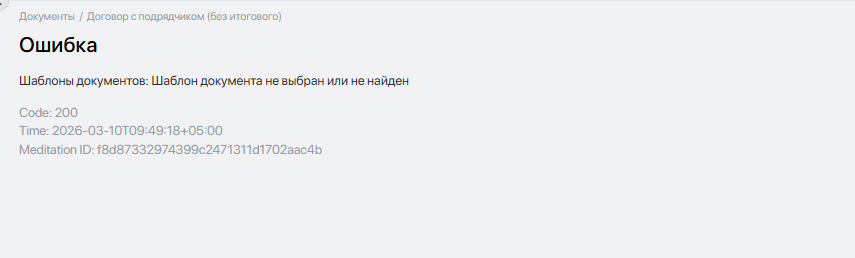
Если схема процесса не скачивается и появляется ошибка, значит в настройках типа документа не указан шаблон схемы процесса акта или шаблон не загружен в систему. В этом случае необходимо обратиться к администратору системы.
<figure><img src="https://2409287958-files.gitbook.io/~/files/v0/b/gitbook-x-prod.appspot.com/o/spaces%2FfkymnT1WRuXnrJRm6ZIO%2Fuploads%2FW2Lvrk3aPUQ0xe3NvEpD%2Fimage.png?alt=media&#x26;token=8e5e3b69-63aa-4b4e-896e-659075786cd9" alt=""><figcaption></figcaption></figure>

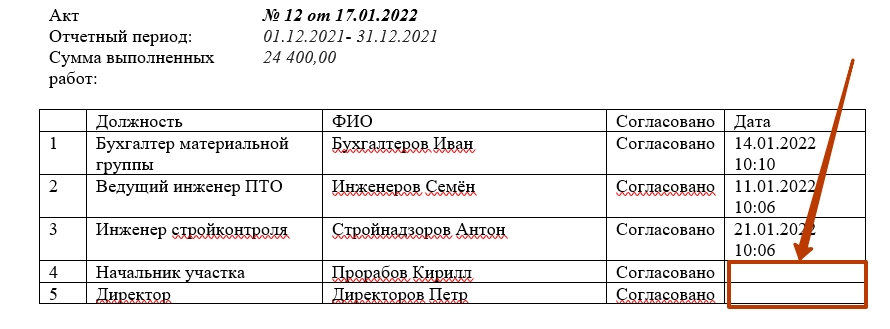
Схема процесса может содержать основную информацию по договору и акту, а также должности и ФИО участников.

Напротив сотрудника, уже завершившего процесс в акте, указываются дата и время завершения процесса.

![](https://help.macrodigital.ru/upload/pages/manual/macroerp/kontrakty/372/3.jpg)

Если сотрудник не завершил процесс в акте, напротив его фамилии не будут указаны дата и время завершения процесса.
![](https://help.macrodigital.ru/upload/pages/manual/macroerp/kontrakty/372/4.jpg)


---

# Agent Instructions: Querying This Documentation

If you need additional information that is not directly available in this page, you can query the documentation dynamically by asking a question.

Perform an HTTP GET request on the current page URL with the `ask` query parameter:

```
GET https://docs.macrodigital.ru/manual/macroerp/kontrakty/list_soglasovanija_aktov_vypolnennyh_rabot.md?ask=<question>
```

The question should be specific, self-contained, and written in natural language.
The response will contain a direct answer to the question and relevant excerpts and sources from the documentation.

Use this mechanism when the answer is not explicitly present in the current page, you need clarification or additional context, or you want to retrieve related documentation sections.