# Удаление проекта

{% hint style="danger" %}
**Удалить проект может сотрудник с ролью «Администратор».**
{% endhint %}

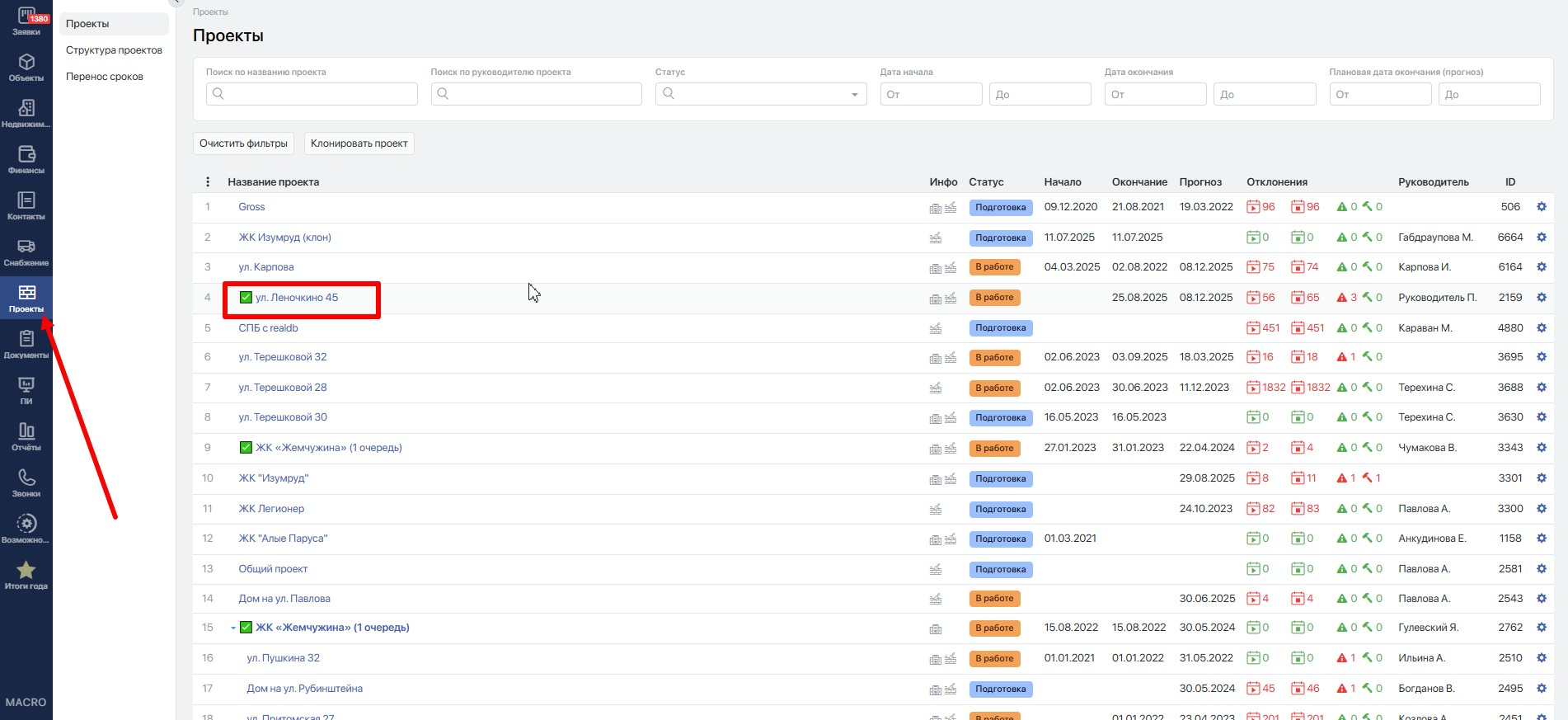
Откройте модуль <mark style="background-color:purple;">**Проекты**</mark> и в списке выберите проект, который следует удалить.&#x20;

<figure><img src="https://2409287958-files.gitbook.io/~/files/v0/b/gitbook-x-prod.appspot.com/o/spaces%2FfkymnT1WRuXnrJRm6ZIO%2Fuploads%2FFS05HCKD87CYsuosacME%2Fimage.png?alt=media&#x26;token=cd42f532-4381-4795-8dfd-decc1f8ca8d0" alt=""><figcaption></figcaption></figure>

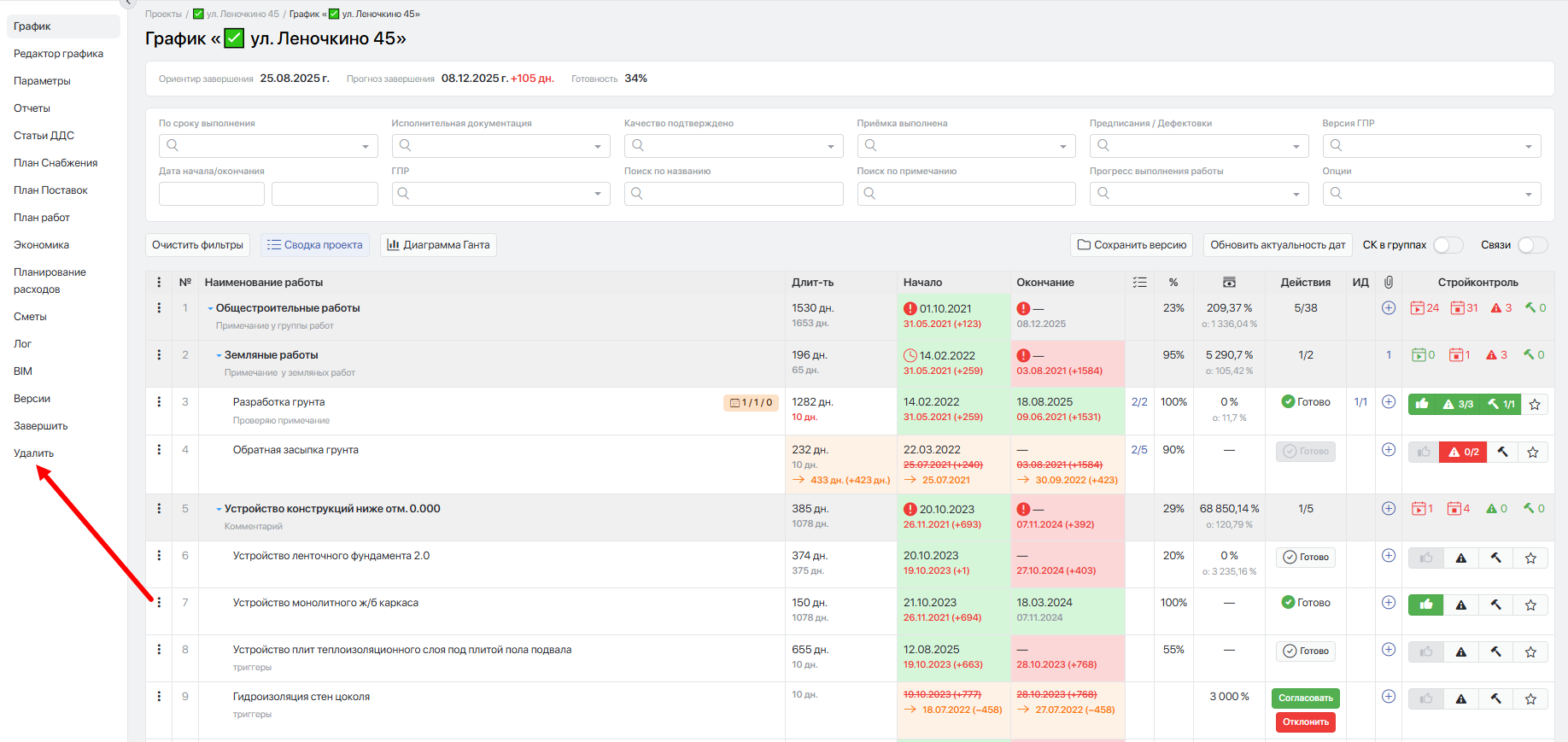
Далее в меню слева выберите пункт <mark style="background-color:purple;">**Удалить**</mark>.&#x20;

<figure><img src="https://2409287958-files.gitbook.io/~/files/v0/b/gitbook-x-prod.appspot.com/o/spaces%2FfkymnT1WRuXnrJRm6ZIO%2Fuploads%2FJv9WieHm7RbI74jCo40T%2Fimage.png?alt=media&#x26;token=62901ac2-e291-47cc-90cc-ead580b4054a" alt=""><figcaption></figcaption></figure>

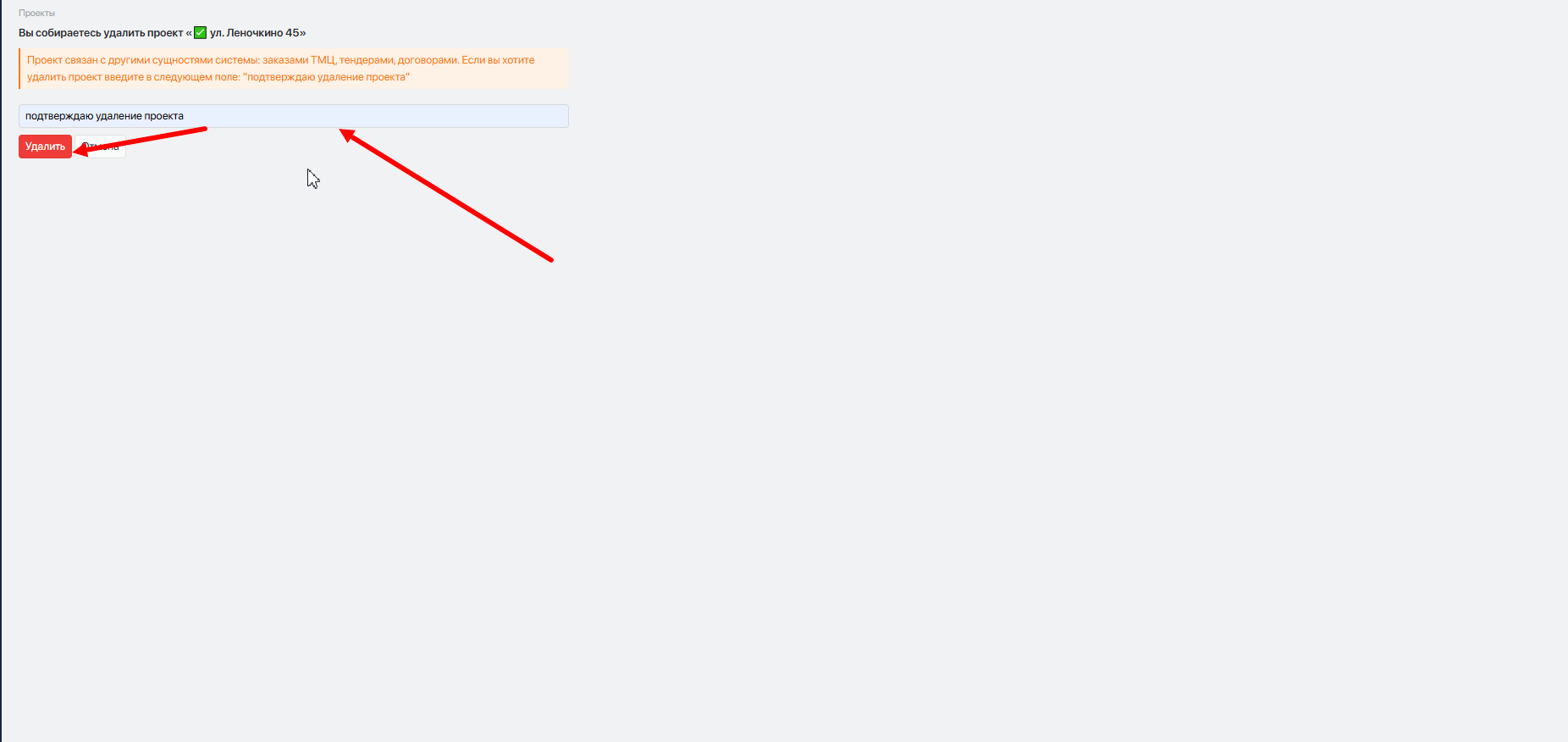
Система перенаправит на страницу, где будет предупреждающее сообщение и подсказка о том, что для удаления проекта необходимо ввести в поле ввода фразу <mark style="background-color:green;">**подтверждаю удаление проекта**</mark>, затем нажать **`Удалить`**.

<figure><img src="https://2409287958-files.gitbook.io/~/files/v0/b/gitbook-x-prod.appspot.com/o/spaces%2FfkymnT1WRuXnrJRm6ZIO%2Fuploads%2FPLNLNIg6ntk4TKyrq610%2Fimage.png?alt=media&#x26;token=70d389bc-a7c5-499a-8012-49f6cee2e360" alt=""><figcaption></figcaption></figure>

Перед удалением система выполняет проверку на наличие связанных сущностей, таких как заказы, документы, тендеры, финансовые операции. Если есть связанные сущности, удаление будет невозможно, пока не будут разорваны связи, о чём система предупредит.
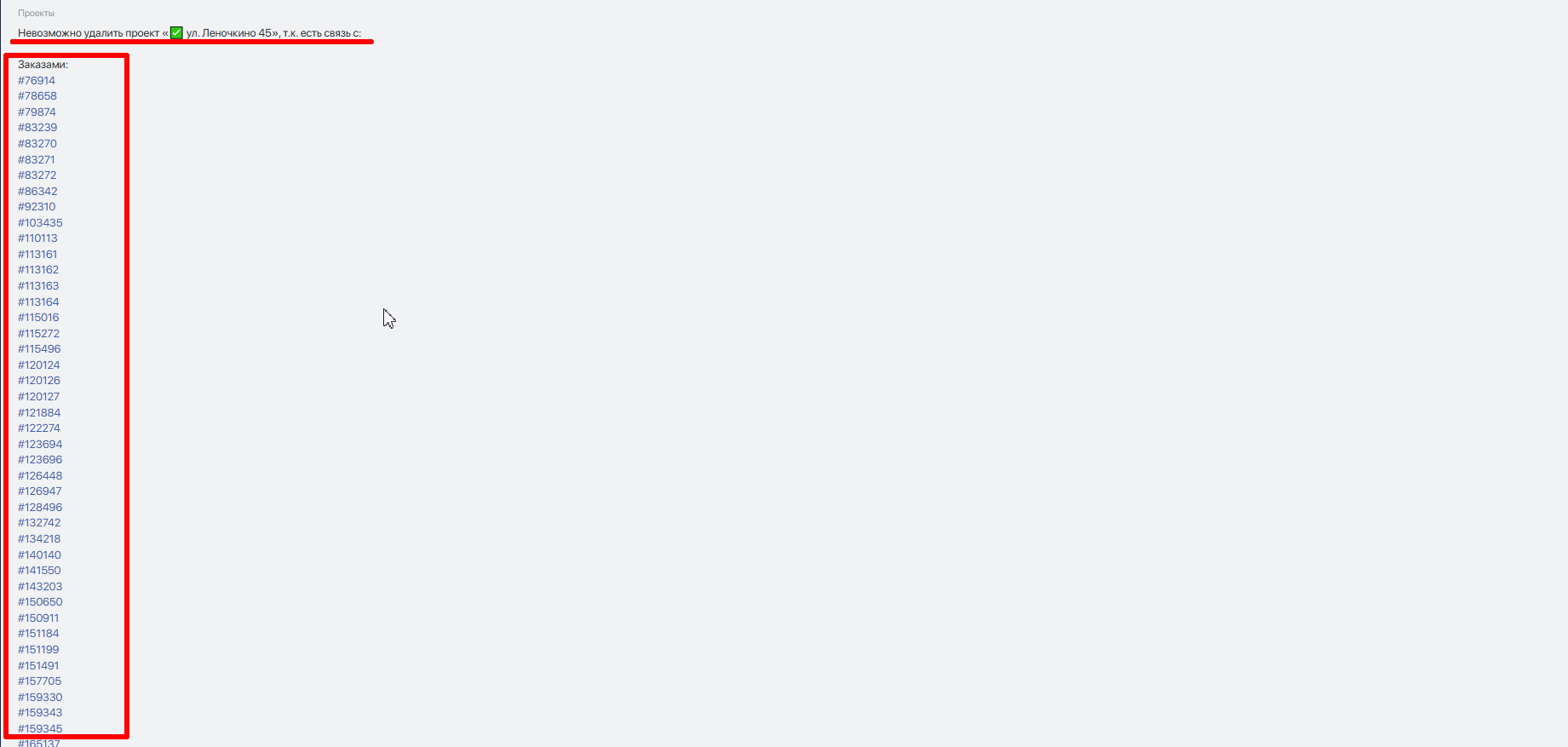
<figure><img src="https://2409287958-files.gitbook.io/~/files/v0/b/gitbook-x-prod.appspot.com/o/spaces%2FfkymnT1WRuXnrJRm6ZIO%2Fuploads%2FdGFBtUMycE0AWWvEZPFg%2Fimage.png?alt=media&#x26;token=759349f0-1094-44a5-8cd3-0cde3ba18106" alt=""><figcaption></figcaption></figure>

В случае, если проект ни с чем не связан, произойдет его удаление.

{% hint style="danger" %}
**Восстановить удалённый проект нельзя!**
{% endhint %}


---

# Agent Instructions: Querying This Documentation

If you need additional information that is not directly available in this page, you can query the documentation dynamically by asking a question.

Perform an HTTP GET request on the current page URL with the `ask` query parameter:

```
GET https://docs.macrodigital.ru/manual/macroerp/stroika/udalit_proekt.md?ask=<question>
```

The question should be specific, self-contained, and written in natural language.
The response will contain a direct answer to the question and relevant excerpts and sources from the documentation.

Use this mechanism when the answer is not explicitly present in the current page, you need clarification or additional context, or you want to retrieve related documentation sections.