
# Чек-лист (В работе)

При работе с графиком ответственный за ведение ГПР должен выполнить задачи, перечисленные в чек‑листе позиции.

{% hint style="warning" %}
***Без выполнения всех пунктов работу завершить будет нельзя.***
{% endhint %}

В ГПР (статус <mark style="background-color:blue;">**В работе**</mark>) напротив позиции в выделенной колонке выводится обозначение «0/5»: это означает, что требуется выполнить 5 пунктов чек‑листа, но на текущий момент выполнено 0.
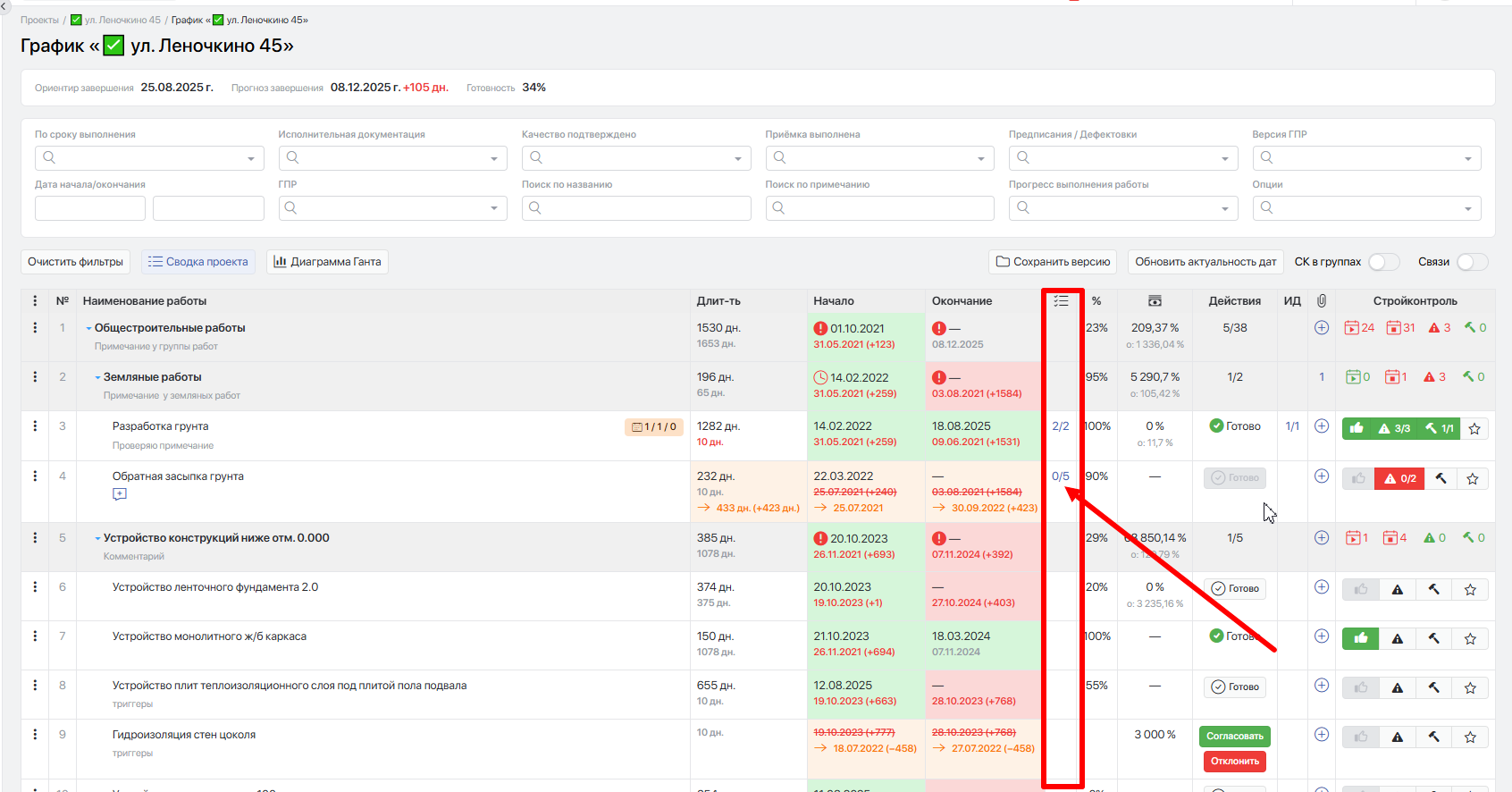
<figure><img src="https://2409287958-files.gitbook.io/~/files/v0/b/gitbook-x-prod.appspot.com/o/spaces%2FfkymnT1WRuXnrJRm6ZIO%2Fuploads%2FCUbDkmgdBIBf4CMV8Get%2Fimage.png?alt=media&#x26;token=7c490166-7f86-4312-8bbf-c97179175176" alt=""><figcaption></figcaption></figure>

При нажатии на значок списка откроется чек-лист.
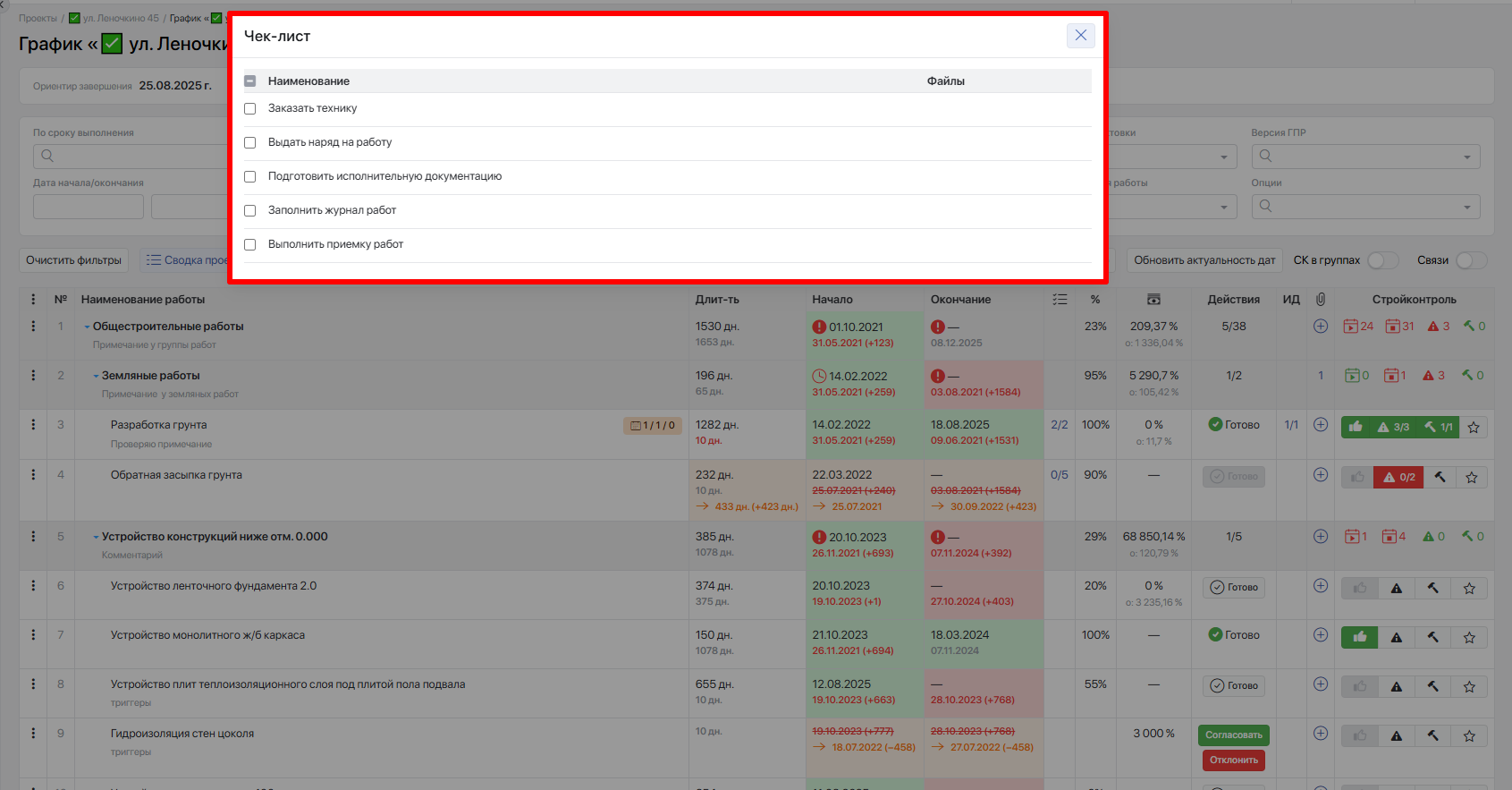
<figure><img src="https://2409287958-files.gitbook.io/~/files/v0/b/gitbook-x-prod.appspot.com/o/spaces%2FfkymnT1WRuXnrJRm6ZIO%2Fuploads%2Fg3PsrIWQVlwnksCtRgPz%2Fimage.png?alt=media&#x26;token=e015c515-3df5-4091-bbe3-411653ec035e" alt=""><figcaption></figcaption></figure>

Для того чтобы отметить пункт выполненным, напротив него в ячейке слева поставьте галочку; наименование будет отображено зачёркнутым, пункт чек‑листа считается выполненным.
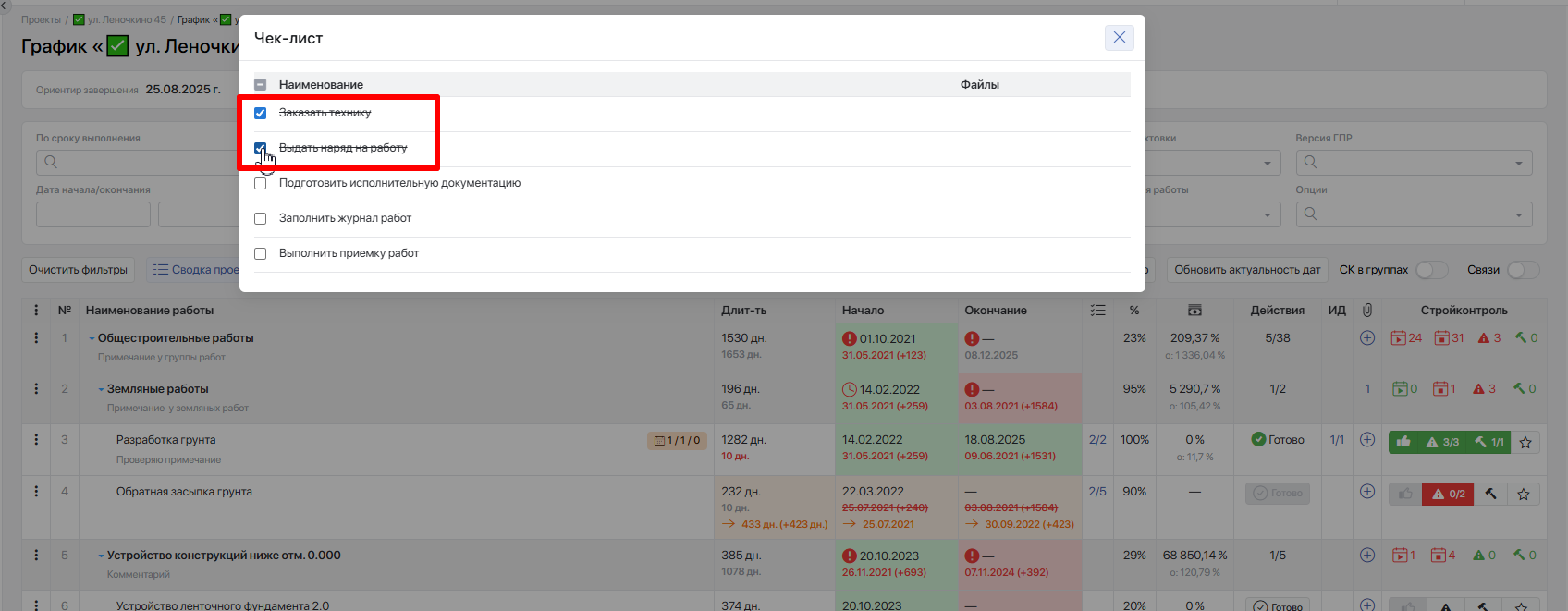
<figure><img src="https://2409287958-files.gitbook.io/~/files/v0/b/gitbook-x-prod.appspot.com/o/spaces%2FfkymnT1WRuXnrJRm6ZIO%2Fuploads%2FOIeMDpoPcfc28usvAVPQ%2Fimage.png?alt=media&#x26;token=723e77fe-e139-4e09-b710-859aa4b47bd9" alt=""><figcaption></figcaption></figure>

После этого, закрыв окно, в ГПР (статус <mark style="background-color:blue;">**В работе**</mark>) отобразится «2/5», что свидетельствует о том, что 2 пункта из 5 в данном чек‑листе исполнены.
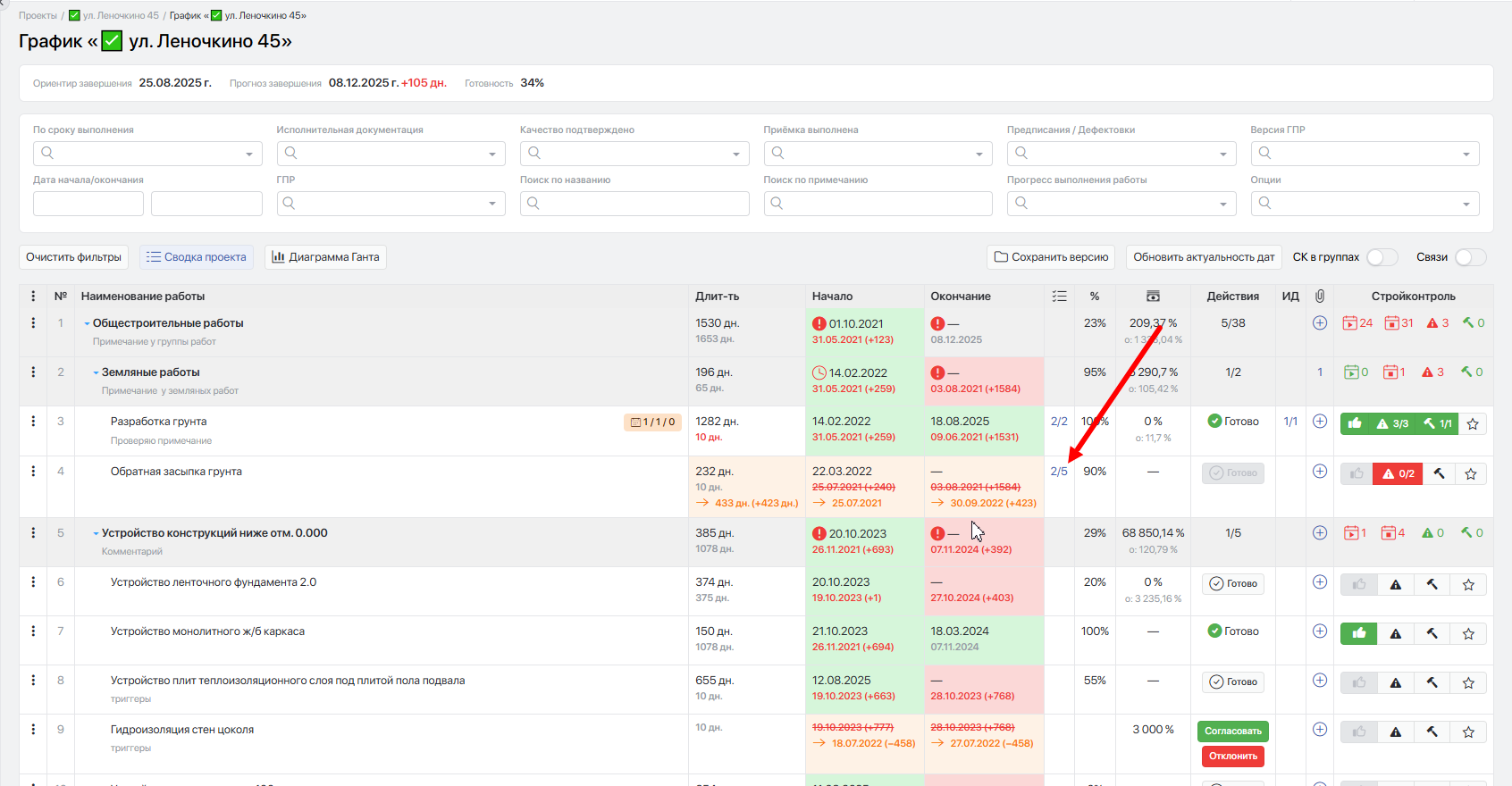
<figure><img src="https://2409287958-files.gitbook.io/~/files/v0/b/gitbook-x-prod.appspot.com/o/spaces%2FfkymnT1WRuXnrJRm6ZIO%2Fuploads%2FzALWxN8UY19tcbyXAcuE%2Fimage.png?alt=media&#x26;token=68e67673-0f56-4ee2-9f97-448d992cb2cb" alt=""><figcaption></figcaption></figure>


---

# Agent Instructions: Querying This Documentation

If you need additional information that is not directly available in this page, you can query the documentation dynamically by asking a question.

Perform an HTTP GET request on the current page URL with the `ask` query parameter:

```
GET https://docs.macrodigital.ru/manual/macroerp/stroika/chek_list_v_rabote.md?ask=<question>
```

The question should be specific, self-contained, and written in natural language.
The response will contain a direct answer to the question and relevant excerpts and sources from the documentation.

Use this mechanism when the answer is not explicitly present in the current page, you need clarification or additional context, or you want to retrieve related documentation sections.
